Counter software for counting copies, prints, and scans
The copycounter_net software enables copy shops to automatically record and display the number of copies, prints, and scans created by customers. This counter software precisely reads the number of sheets output by copiers and printers and automatically and accurately calculates the number of prints and scans made by the customer. Depending on the type of copier, it can distinguish between black/white, color, A3 and A4, printing, copying, and scanning.

Which counters are displayed?
The copycounter_net software displays the number of prints, copies, and scans for each device separately, distinguishing between color and black-and-white documents. The display may vary depending on the manufacturer and model. For some manufacturers, such as Konica, an A3 print may be counted as two A4 prints, or an A3 copy may be counted as two A4 copies (“double click”).
Info: Overview of manufacturers and displayed meter readings
The software also correctly detects double-sided prints and copies. For scans, there is no distinction between color, black and white, A3, or A4.
For which copier manufacturers is the software suitable?
The copycounter_net software is very flexible and works seamlessly with copiers from all well-known manufacturers such as Canon, Konica, Sharp, Toshiba, Ricoh, and Xerox. Thanks to this versatility, copy centers and copy shops can efficiently and accurately record all meter readings, regardless of the variety of devices used.
Four different versions
The software is available in four different versions. The versions differ only in the number of devices that can be read. Depending on the chosen version, up to 3, 10, 20, or 30 devices can be conveniently monitored. This allows copy shops to adapt the software to their specific requirements and the number of copiers, printers, and multifunction devices in use.
| Version | Maximum number of copiers/printers |
|---|---|
| copycounter_net Basic | 3 |
| copycounter_net 10 | 10 |
| copycounter_net 20 | 20 |
| copycounter_net 30 | 30 |
Very easy integration in the copy shop
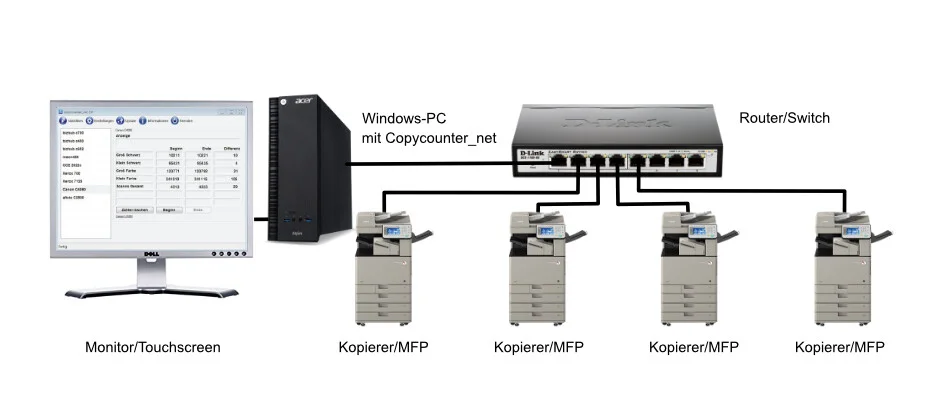
Using the software is extremely straightforward. All that is required is a standard Windows PC with a monitor and a local network (wired or wireless). No additional cabling for copiers, printers, or multifunction devices is necessary. To set up a device, you only need to enter the IP address and a custom name. That’s all!
Print jobs are saved for evaluation
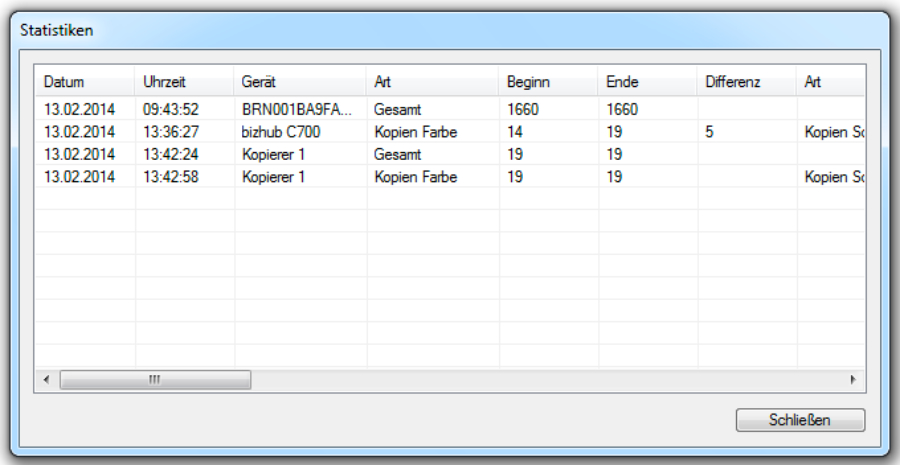
All created copies, prints, and scans are saved directly to the USB stick. This provides a convenient and straightforward method for document management. The automatically saved data can then be easily opened and analyzed using common applications such as Microsoft Excel or Apple Pages.
Multilingual support
Copycounter_net offers support for four different languages. The software can be set to German, English, French, or Dutch. This allows users to use the software in their preferred language and customize the user interface accordingly.
buy software here